Computer Coloring Pages For Kids
| Type | Coloring page |
|---|---|
| Topic | Everyday things |
| Sheets | 4 |
| Paper | US letter |
| Added | March 7, 2024 |
About Computer Coloring Pages For Kids
Computer Coloring Pages
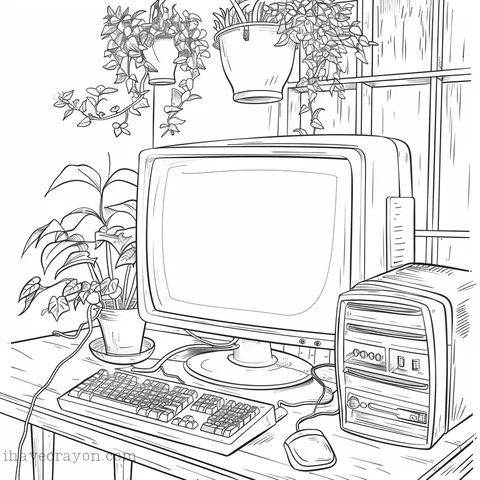
Welcome to the world of computer coloring pages! Who says coloring is just for kids? In this digital age, adults and children alike can enjoy the therapeutic and creative benefits of coloring, especially when it involves our beloved computers. From intricate circuit designs to colorful keyboards, there’s no limit to the fun and imagination you can bring to life on these pages. So grab your colored pencils and get ready to geek out with us as we explore the world of computer coloring pages!
Three Fun Facts About Computers
Fun Fact #1
The first electronic computer, called the ENIAC, weighed over 27,000 pounds and took up an entire room.
Fun Fact #2
The world’s first computer mouse was invented in 1964 by Douglas Engelbart and was made out of wood.
Fun Fact #3
The first computer virus was created in 1971 and was called “Creeper.” It was designed to display a message on infected computers that read, “I’m the creeper, catch me if you can!”
Three Tips For Coloring Your Computer Coloring Pages
Computer Coloring Pages Coloring Tip #1
Use a consistent color scheme: When coloring computers, it’s important to use a consistent color scheme to make the image look cohesive. Stick to a limited number of colors and use them throughout the image to create a uniform and visually appealing result.
Computer Coloring PagesColoring Tip #2
Pay attention to lighting and shadows: Computers have many different elements and components, such as keyboards, screens, and ports, that can create shadows and highlights. Pay attention to the direction of the light source and add shadows and highlights accordingly to give the computer a more realistic and three-dimensional look.
Computer Coloring PagesColoring Tip #3
Add texture and details: To make the computer look more realistic, add texture and details such as buttons, labels, and logos. You can use different tools and techniques to create texture, such as using a textured brush or adding subtle gradients. Adding small details will make the computer look more lifelike and add depth to the image.
Three Fun Ways To Color Your Computer Coloring Pages
Fun Way #1
Rainbow Keyboard: Give your computer a pop of color with a rainbow keyboard! Every time you type, it’ll feel like you’re spreading a little bit of happiness and color into the world.
Fun Way #2
Tie-Dye Tower: Transform your boring computer tower into a groovy tie-dye masterpiece! Not only will it look cool, but it’ll also remind you to stay chill and go with the flow when technology gets frustrating.
Fun Way #3
Polka Dot Laptop: Add some personality to your laptop with a fun and playful polka dot design! It’ll make you stand out in a sea of boring laptops and give off a whimsical vibe. Plus, who doesn’t love polka dots?
The Misadventures of the Computer Family
Part 1
New Additions
The Computer family was excited to welcome their newest member, a sleek and shiny laptop named Lily. She joined her older siblings, Desktop and Tablet, in the household. Desktop was the oldest and prided himself on being the most powerful, while Tablet was the youngest and loved to show off his portability. Lily was determined to make her mark and prove herself to her siblings.
Part 2
Sibling Rivalry
As soon as Lily was set up, she immediately began challenging Desktop for the title of “Most Powerful”. She would constantly run multiple programs at once, causing Desktop to lag and freeze. Tablet, on the other hand, would tease Lily for being too big and bulky. The three siblings were always arguing and trying to one-up each other.
Part 3
Family Vacation
One day, the Computer family decided to go on a family vacation to the beach. Desktop was excited to show off his superior graphics, Tablet was looking forward to taking pictures with his camera, and Lily was eager to connect to the hotel’s WiFi. However, things took a turn when they arrived at the hotel and realized they forgot to bring their chargers. Desktop’s screen began to dim, Tablet’s battery was draining rapidly, and Lily was frantically searching for an outlet. They quickly learned the importance of being prepared.
Part 4
Virus Invasion
Upon returning from their vacation, the Computer family discovered a virus had infected their system. They were all panicking and blaming each other for not having proper antivirus software. Lily suggested they call for help from their tech-savvy cousin, Smartphone. Smartphone came to the rescue and helped them remove the virus. The siblings realized the importance of working together and keeping their systems protected.
Part 5
A Happy Family
After the virus incident, the Computer family realized how much they needed each other. They apologized for their past rivalry and made a promise to always support and help each other. Desktop shared his processing power with Lily, while Tablet taught her how to be more portable. They all learned to appreciate each other’s strengths and weaknesses. From that day on, the Computer family was a happy and united bunch. And they lived happily ever after, or at least until the next technological advancement.
More Coloring Pages!
Looking for some unique crayons? Check out Crayon Rocks. We are not affiliated, we just like their idea and want to support other US-based small businesses.